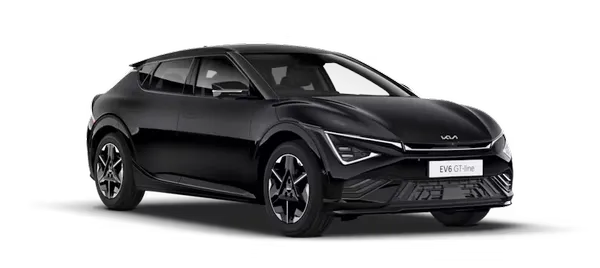
Kia K4: Surround View Monitor (SVM): / Surround View Monitor settings
Contents:
Warning Methods
|
|
To customize the alert behavior of your Kia K4 while the vehicle is powered ON, navigate to Setup > Vehicle > Driver Assistance > Warning Methods on the infotainment display. Within this menu, you can adjust the following setting:
-
Parking Safety Priority: Enabling this feature automatically reduces the volume of all other active audio sources whenever the Surround View Monitor is engaged, allowing you to focus completely on the parking alerts of your Kia K4.
TIP
-
Please note that the configured Warning Methods in your Kia K4 may also apply to the alerts of other integrated driver assistance systems.
-
The system stores your preferences; Warning Methods will retain their last configuration even after the Kia K4 is powered OFF and restarted.
-
Depending on the specific trim level and package of your vehicle, the Warning Methods setting menu may not be available on all models.
Camera Settings
|
|
|
While your Kia K4 is powered ON, you can access and configure the advanced features of your parking systems by tapping the setup icon ( ) or by navigating through the infotainment menu: Setup > Vehicle > Driver Assistance > Parking Safety > Camera Settings. This allows you to customize the visual feedback provided by the Kia K4 camera systems.
Display Contents: Select the specific information you wish to view on the parking assistance screen during operation.
Parking Distance Warning: When enabled, this feature integrates with the Kia K4 system to display a warning in the top-right corner of the Surround View Monitor screen whenever proximity alerts are triggered.
Rear View Parking Guidance: When selected, this feature provides dynamic visual guidelines directly within the Rear View feed to assist in accurate parking alignment.
Top View Parking Guidance: If enabled, this function displays helpful trajectory indicators on the top-right section of the Surround View Monitor screen during active Front or Rear Top View operations.
Display settings: You can fine-tune your Kia K4 camera image quality by adjusting the brightness levels (optimized for day or night) and the contrast settings to ensure maximum visibility in all lighting conditions.
TIP
-
Please note that depending on the specific equipment and technical trim level of your Kia K4, some settings menu options may not be available.
-
The horizontal Parking Guidance lines presented on the Surround View Monitor are calibrated to indicate exact distances from your vehicle: 20 in (0.5 m), 40 in (1 m), and 91 in (2.3 m).
-
The horizontal scale provided by the Top View Parking Lines helps you monitor rear clearance, specifically highlighting liftgate opening requirements and a distance of 79 in (2 m) from the rear of your Kia K4.
Surround View Monitor Auto On
To enable the automatic activation feature for your Kia K4, navigate via the infotainment screen to: Setup > Vehicle > Driver Assistance > Parking Safety > Surround View Monitor Auto On. Activating this ensures the system is ready whenever you need it most.
NOTE
For more detailed information regarding the automated functionality of this system, please refer to the "Surround View Monitor Auto On" section in your owner's manual.


Other information:
Kia K4 (CL4) 2025-2026 Owner's Manual: Owner maintenance
The following comprehensive lists outline the essential vehicle checks and inspections that should be performed by the owner or an authorized Kia dealer at the indicated intervals. Diligent adherence to these checks is vital to ensure the safe, dependable, and efficient operation of your Kia K4 throughout its service life. Should you identify any adverse conditions or irregularities, please bring your Kia K4 to the attention of an authorized Kia dealer as soon as possible for expert evaluation.Kia K4 (CL4) 2025-2026 Owner's Manual: Driver assistance guide
WARNING Driver responsibility As the driver of the Kia K4, you must never rely solely on the Driver Assistance Systems. These sophisticated technologies are designed to support you, but they are not a substitute for active driver engagement, constant vigilance, and safe driving practices. These systems operate on the premise that the operator maintains full control of the vehicle, and they are intended to mitigate collision impact or provide assistance under normal driving conditions.